

How Nano Banana 2 and Mixboard Enhance Your Presentations
Why Nano Banana 2 and Mixboard are reshaping visual consistency and narrative flow
Nano Banana 2 is quietly improving presentations by keeping visuals consistent
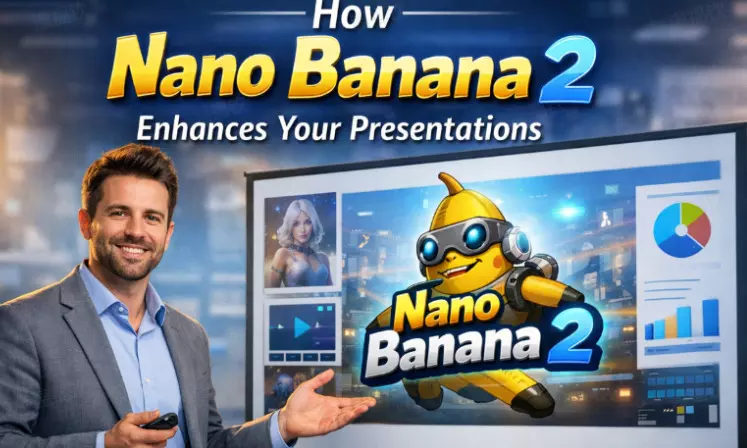
Most presentations don’t fail because the idea is weak. They fail because the idea gets lost somewhere between planning and execution. Slides become cluttered, visuals feel generic, and the narrative never quite lands the way it did in someone’s head. Over the past year, tools like Nano Banana 2 and Mixboard have quietly started to change that gap.
Table of Contents
- Nano Banana 2 and Visual Consistency Under Pressure
- Mixboard as a Thinking Space, Not a Template Machine
- AI Figures as Anchors for Attention
- Mixboard AI and the Value of Slow Structuring
- Nano Banana AI and Execution Without Friction
- Google Mixboard and Workflow Familiarity
- AI Figure as Narrative Glue
Nano Banana 2 and Visual Consistency Under Pressure
Nano Banana 2 tends to stand out not because it creates wild visuals, but because it creates stable ones. Anyone who has built a presentation under time pressure knows how quickly visual cohesion can slip. Characters change proportions, colors drift, styles don’t match from slide to slide.
Nano Banana 2 helps solve that by anchoring visuals to a consistent reference. When a presenter needs multiple images, short video loops, or animated transitions that all feel like they belong together, Nano Banana 2 makes that possible without constant manual correction. The result is less time spent fixing visuals and more time spent refining the message.
This matters especially when presentations are reused across formats—slides, short clips, previews, or social posts—where inconsistencies become more obvious.
Mixboard as a Thinking Space, Not a Template Machine
Mixboard works best when it’s treated less like a design tool and more like a thinking surface. Instead of forcing ideas into predefined layouts, it lets people collect fragments—phrases, visuals, references, half-formed concepts—and see how they relate.
That flexibility is what separates Mixboard from traditional presentation software. You’re not committing to structure too early. You’re exploring it. Mixboard allows presenters to move ideas around, test different flows, and spot weak transitions before they harden into slides.
When presentations feel natural, it’s usually because the thinking behind them had room to wander before it settled.
AI Figures as Anchors for Attention
AI Figures are showing up more often in presentations, not as mascots, but as visual anchors.
A thoughtfully designed Clawd Bot AI Figure doesn’t need to steal the spotlight to be effective. Its job is quieter than that. It can nudge attention in the right direction, set the tone, or help different sections feel connected without overpowering the message.
What really makes AI Figures useful is how flexible they are. The same figure can show up in a low-key way on an opening slide, reappear as a visual signal during transitions, take on a bit of motion in a video version, or serve as a familiar thumbnail across platforms. Used with restraint, AI Figures act less like decoration and more like signposts, helping audiences follow the flow of ideas without even realizing why it feels so clear. They become familiar reference points rather than distractions.
Mixboard AI and the Value of Slow Structuring
Mixboard AI doesn’t rush presentations toward completion. Instead, it supports gradual clarity. By helping surface relationships between ideas, Mixboard AI allows presenters to see patterns they might miss when working linearly.
This is especially useful for complex or abstract topics. Instead of guessing what order might work best, presenters can explore multiple arrangements and see how meaning shifts. That process often reveals unnecessary slides or missing context long before the presentation is finalized.
The result is usually leaner, calmer presentations that trust the audience to follow along.
Nano Banana AI and Execution Without Friction
Nano Banana Pro plays a different role than ideation tools. It steps in when decisions have already been made and execution needs to stay clean. Presenters often know what they want visually but struggle to produce it consistently under time constraints. Nano Banana AI helps maintain:
Stable character design across frames
Predictable lighting and color behavior
Smooth transitions between static and animated elements
That reliability reduces last-minute scrambling. Instead of redesigning assets repeatedly, presenters can focus on pacing, emphasis, and delivery.
Over time, this leads to a recognizable visual language, which audiences subconsciously associate with credibility.
Google Mixboard and Workflow Familiarity
The association with Google Mixboard and Clawdbot AI helps normalize AI-assisted design in professional environments. Familiar ecosystems lower resistance. When tools fit naturally into existing workflows, they don’t feel disruptive or experimental.
Google Mixboard–style integration allows people to move between brainstorming, drafting, and presenting without losing momentum. There’s less friction between thinking and showing. That shift subtly changes how presentations are made—less emphasis on polish for its own sake, more emphasis on clarity and intent.
When tools disappear into the workflow, the work itself becomes more visible.
AI Figure as Narrative Glue
A Motion Control AI Figure doesn’t need to speak or perform to be effective. Often, its value lies in repetition and restraint. When used sparingly, an AI Figure can tie sections together, signal transitions, or provide visual rhythm across a presentation.
This is where Nano Banana 2 and Mixboard intersect most naturally. One handles the reliable creation and adaptation of the figure; the other helps decide where and why it appears. Together, they support presentations that feel cohesive without feeling overdesigned.
Ultimately, what these tools improve isn’t creativity—it’s follow-through.





